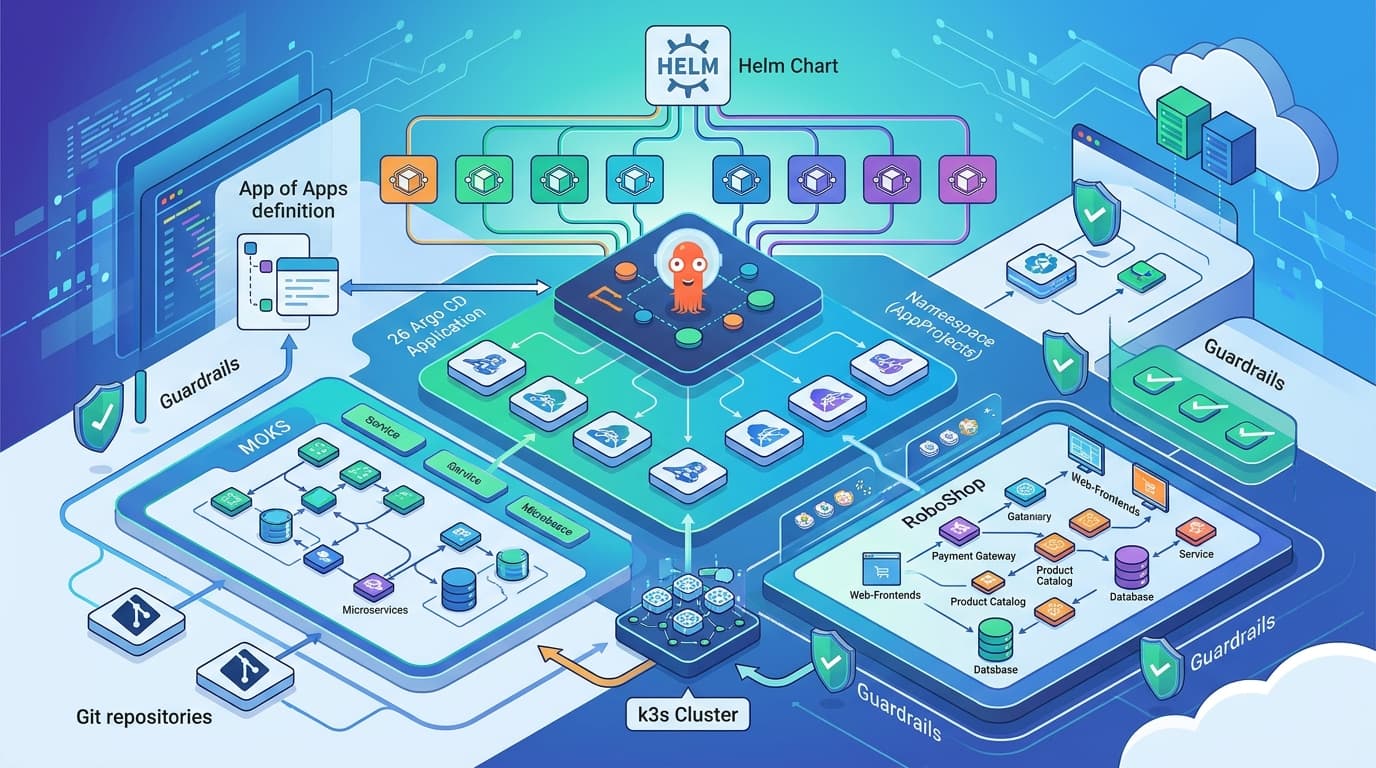
Argo CD runs on mk4, my k3s cluster on Hetzner Cloud, and answers at jithendar.com/argocd (opens in a new tab). It keeps 26 Applications in sync with Git: the MOKS SRE portal and the RoboShop demo shop. This article covers the part those Applications take for granted: how Argo CD itself got onto the cluster.
That means the cluster underneath, the Terraform that installs Argo CD, the argo-cd Helm chart and every value we give it, its cache on a shared Valkey, and how a request for /argocd gets from a browser through Cloudflare, a Hetzner load balancer and Istio to the right pod. It ends with the four caching bugs Cloudflare found for us on 19 November and the commits that fixed them. How the applications are then deployed through Argo CD (AppProjects, the app of apps, the sync policy, the :latest trap) is the companion article, How We Deploy to Kubernetes with Argo CD (opens in a new tab).
Everything below is taken from Git and from the running cluster. Each code block names its file, and the references at the end link every commit.
Three layers, three tools

The design rests on one rule: each layer is installed by the layer below it, never by itself.
- Servers and k3s. The
hetzner-k3sCLI creates the Hetzner servers and installs k3s from one YAML file. - Add-ons. One Terraform root,
minikube-infrastructure/, installs everything the cluster needs before any application: Istio, the public gateway, cert-manager, the shared PostgreSQL and Valkey, monitoring, and Argo CD. Each is ahelm_release, and GitHub Actions applies the root on every merge. - Applications. Argo CD syncs those from Git.
Why not let Argo CD manage itself, as many GitOps guides suggest? Because Argo CD depends on things on this cluster: Istio sidecars, the gateway that publishes it, and Valkey for its cache. If Argo CD managed Valkey and a bad sync broke Valkey, Argo CD would lose its cache while trying to repair it. With Terraform underneath, a broken Argo CD can always be reinstalled by something that doesn't need Argo CD. The file says so in its first comment:
# minikube-infrastructure/argocd.tf (header)
# No Redis of its own: Argo CD's cache is on the shared Valkey (redis.tf) as the built-in tenant "argocd" (ACL user
# argocd, database 7 only, no admin command). Valkey is a Terraform release, never an Argo CD Application, so the GitOps
# controller does not depend on something it deploys itself.
Changing Argo CD's own settings is still a merge to master. But the deploy is pushed by a GitHub Actions workflow running Terraform, not pulled by Argo CD. That's the point: the thing that installs Argo CD doesn't need Argo CD to be working.
Step 1: the cluster
mk4 was created on 10 November 2026 with hetzner-k3s (opens in a new tab). The whole cluster is one file in the kubernetes repository:
# hetzner-k3s.yaml (excerpt)
# Create:  hetzner-k3s create --config hetzner-k3s.yaml
cluster_name: jithendar
k3s_version: v1.37.2+k3s1

networking:
  private_network:
    enabled: true
    subnet: 10.0.0.0/16
  cni:
    enabled: true
    encryption: false
    mode: flannel

# All nodes in one EU location: 20 TB traffic included; Arm (CAX) is the cheapest line.
masters_pool:
  instance_type: cax11
  instance_count: 1      # single master keeps cost down (no HA, no API load balancer)
  locations:
    - fsn1

worker_node_pools:
  - name: workers
    instance_type: cax21
    instance_count: 3
    location: fsn1

protect_against_deletion: true
create_load_balancer_for_the_kubernetes_api: false
Besides k3s, hetzner-k3s installs Hetzner's cloud controller manager and CSI driver. Two of their features matter for Argo CD:
hcloud-volumesis the default StorageClass. Argo CD itself stores nothing on disk (its state is the Application objects, and its cache is in Valkey), but several of the Applications it syncs do.- A
LoadBalancerService gets a real Hetzner load balancer. The Istio ingress gateway's Service asks for one with annotations:
# deploy/minikube/istio/ingressgateway.yaml (excerpt)
annotations:
  load-balancer.hetzner.cloud/name: mk4-edge
  load-balancer.hetzner.cloud/type: lb11
  load-balancer.hetzner.cloud/location: fsn1
  load-balancer.hetzner.cloud/use-private-ip: "true"
  load-balancer.hetzner.cloud/uses-proxyprotocol: "true"
That LB11 is the only public entry point for every web tool on the cluster, Argo CD included. It sends ports 80 and 443 to the gateway's NodePorts 31080 and 31443 with a PROXY protocol header, so the gateway sees each visitor's real address.
The nodes as they are today (renamed to m1 and w1 to w3 on 20 November):
$ kubectl get nodes          # columns trimmed
NAME   STATUS   ROLES                VERSION
m1     Ready    control-plane,etcd   v1.37.2+k3s1
w1     Ready    <none>               v1.37.2+k3s1
w2     Ready    <none>               v1.37.2+k3s1
w3     Ready    <none>               v1.37.2+k3s1
Step 2: what Argo CD needs before it's installed
Terraform installs Argo CD last, because it needs three things to exist first. The depends_on list in argocd.tf names them:
| Dependency | Terraform release | Why Argo CD needs it |
|---|---|---|
| Istio control plane | helm_release.istiod | Namespace argocd has istio-injection=enabled. Without istiod there's no sidecar, and Valkey (STRICT mTLS) refuses the connection. |
| Public edge | helm_release.istio_edge | The Gateway, the *.jithendar.com certificate and the routing table that sends /argocd to Argo CD. |
| Valkey and its access rules | helm_release.redis, helm_release.redis_access | Argo CD's cache. The ACL user argocd must be loaded, and namespace argocd must be admitted by Valkey's AuthorizationPolicy and NetworkPolicy. |
The routing table is one entry in the edge chart's values. Every admin tool on the cluster is a path under jithendar.com, and each application owns a delegate VirtualService for its own prefix:
# deploy/minikube/istio/edge/values.yaml (excerpt)
# The routing table for jithendar.com. First match wins, so a prefix that begins with another one comes first
# (/prometheus/api/v1/write before /prometheus). A delegate that does not exist (an application not installed) drops
# its route, and the request falls through to the site, which answers 404.
root:
  host: jithendar.com
  delegates:
    - {name: argocd, prefix: /argocd, to: argocd/argocd}
    - {name: kiali, prefix: /kiali, to: istio-system/kiali}
    - {name: grafana, prefix: /grafana, to: monitoring/grafana}
    # ...
  # Everything else.
  default: jithendar/jithendar-com-site
to: argocd/argocd means "the VirtualService named argocd in namespace argocd". The edge doesn't know where Argo CD's pods are. The Argo CD release brings that VirtualService itself, in its Helm values (Step 5). On the Istio side, namespace argocd also gets an allow-known-callers AuthorizationPolicy: only Argo CD's own pods, the gateway (istio-ingress) and Prometheus (monitoring) may call into it.
Step 3: the Terraform
All of argocd.tf is three resources and a few locals. Here it is without the header comment:
# minikube-infrastructure/argocd.tf
locals {
  argocd_namespace = "argocd"
  # Merged into the Valkey tenants (redis.tf, local.redis_tenants). values.yaml's configs.params "redis.db" must match.
  argocd_redis  = { namespace = local.argocd_namespace, databases = [7] }
  argocd_values = yamldecode(file("${local.minikube}/argocd/values.yaml"))
}

# In the mesh: Valkey accepts only mTLS (STRICT), so every Argo CD pod needs a sidecar.
resource "kubernetes_namespace_v1" "argocd" {
  metadata {
    name = local.argocd_namespace
    labels = {
      "app.kubernetes.io/part-of" = "argocd"
      "istio-injection"           = "enabled"
    }
  }
}

# What the chart's externalRedis.existingSecret reads (keys fixed by the chart).
resource "kubernetes_secret_v1" "argocd_redis" {
  metadata {
    name      = local.argocd_values.externalRedis.existingSecret
    namespace = kubernetes_namespace_v1.argocd.metadata[0].name
    # ...labels
  }
  data = {
    redis-username = "argocd"
    redis-password = random_password.redis["argocd"].result
  }

  lifecycle {
    precondition {
      condition     = local.argocd_values.configs.params["redis.db"] == tostring(local.argocd_redis.databases[0])
      error_message = "configs.params redis.db in deploy/minikube/argocd/values.yaml must be ${local.argocd_redis.databases[0]}, Argo CD's database on Valkey (local.argocd_redis)."
    }
    precondition {
      condition     = local.argocd_values.externalRedis.host == local.redis_host
      error_message = "externalRedis.host in deploy/minikube/argocd/values.yaml must be ${local.redis_host}."
    }
  }
}

resource "helm_release" "argocd" {
  name       = "argocd"
  namespace  = kubernetes_namespace_v1.argocd.metadata[0].name
  repository = "https://argoproj.github.io/argo-helm"
  chart      = "argo-cd"
  version    = "10.10.5"
  values = [
    file("${local.minikube}/argocd/values.yaml"),
    # The pods read the password at start: a new one (tainted random_password) must roll them.
    yamlencode({ global = { podAnnotations = { "checksum/redis" = sha1(random_password.redis["argocd"].result) } } }),
  ]

  # The VirtualService and NetworkPolicy were applied with kubectl (kustomize) before this release rendered them.
  take_ownership = true
  wait           = true
  timeout        = var.helm_timeout

  depends_on = [
    helm_release.istiod, helm_release.redis, helm_release.redis_access, helm_release.istio_edge,
    kubernetes_secret_v1.argocd_redis,
  ]
}
What each piece is for:
- The namespace is Terraform's, not the chart's. The
istio-injectionlabel must be there before the first pod starts. If it were added later, every pod would need a restart to get its sidecar. - The Secret is written by Terraform, so the password never enters Git.
random_password.redis["argocd"]is generated once and kept in Terraform's encrypted state (an S3 backend). The same value goes into Valkey's ACL (inredis.tf) and into this Secret, so the two always match. values.yamlis read twice. Helm gets it as values, and Terraform decodes it withyamldecode()to check it. The twopreconditionblocks fail the plan if someone changes the Redis host or database number in the YAML without changing Terraform's side. A typo becomes a plan error instead of a pod in CrashLoopBackOff.- The version is pinned.
10.10.5is the chart version, and the chart pins the Argo CD image (quay.io/argoproj/argocd:v3.5.5). An upgrade is a one-line diff in a pull request. - A second values document from Terraform adds
checksum/redisto every pod. Helm only restarts pods whose spec changed. A new password changes only the Secret, so without this annotation the pods would keep the old password until something else restarted them. take_ownership = truelets the release adopt the VirtualService and NetworkPolicy that were applied with kubectl before the chart rendered them, instead of failing with "resource already exists".
Applying it: by hand once, then on every merge
By hand, from a machine whose kubeconfig reaches the cluster:
terraform -chdir=minikube-infrastructure init        # S3 backend, key terraform/k3s-mk4.tfstate
terraform -chdir=minikube-infrastructure apply -var-file=vars/mk4.tfvars
vars/mk4.tfvars holds the kube context and the per-cluster choices (tenant databases, IP allowlists, Cloudflare switches). The root installs every add-on, so a plan shows changes across the whole cluster, not only Argo CD.
Day to day, nobody runs that command. Two workflows in the kubernetes repository do:
| Workflow | When | What it does | What it can reach |
|---|---|---|---|
check-mk-infrastructure.yml | Every pull request that touches minikube-infrastructure/ or deploy/minikube/argocd/ (among other paths) | terraform fmt -check, validate, terraform test with vars/mk4.tfvars, helm lint and helm template of the local charts | Nothing: no cluster token, no state. The repository is public, so pull request code never gets either. |
create-mk-infrastructure.yml | Every push to master on the same paths, or by hand with "plan only" | terraform plan, then apply of that saved plan | The cluster through ServiceAccount kube-system/github-minikube-terraform, and the S3 state through an AWS role assumed with GitHub OIDC. Both live in the GitHub environment mk4, which only master can use. |
The apply job runs on GitHub-hosted runners, never on the cluster. It shares a concurrency group with cancel-in-progress: false, because a cancelled helm upgrade leaves a release stuck in pending-upgrade. It only runs while the repository variable MINIKUBE_TERRAFORM_APPLY is true, which is the switch to turn automatic applies off during maintenance.
Adopting an Argo CD that already exists
Argo CD wasn't born in Terraform. The first install on mk4 came from the repository's own scripts (scripts/argocd/deploy.py) and ran the chart's bundled Redis. Terraform took it over without a reinstall, as the root's README describes:
terraform import -var-file=vars/mk4.tfvars kubernetes_namespace_v1.argocd argocd
terraform import -var-file=vars/mk4.tfvars helm_release.argocd argocd/argocd
terraform apply -var-file=vars/mk4.tfvars   # rolls Valkey (new ACL user), then upgrades Argo CD: argocd-redis is removed
Helm's history shows the whole story:
$ helm -n argocd history argocd          # DESCRIPTION column trimmed
REVISION  UPDATED                   STATUS      CHART            APP VERSION
1         Tue Nov 10 13:40:14 2026  superseded  argo-cd-10.10.5  v3.5.5
2         Tue Nov 10 15:00:52 2026  superseded  argo-cd-10.10.5  v3.5.5
3         Thu Nov 19 12:27:11 2026  superseded  argo-cd-10.10.5  v3.5.5
4         Thu Nov 19 12:41:15 2026  superseded  argo-cd-10.10.5  v3.5.5
5         Thu Nov 19 12:48:34 2026  superseded  argo-cd-10.10.5  v3.5.5
6 Thu Nov 19 13:05:55 2026 deployed argo-cd-10.10.5 v3.5.5| Revision (UTC) | What changed | Applied by | Git |
|---|---|---|---|
| 1, 10 Nov 13 | First install: the chart's own Redis pod, no VirtualService in the release | hand (scripts) | |
| 2, 10 Nov 15 | Terraform adopts it: Redis pod gone, cache on Valkey database 7, VirtualService and NetworkPolicy from extraObjects, checksum/redis on every pod | hand (Terraform) | 5a8ec33 (opens in a new tab) |
| 3, 19 Nov 12 | Accept: text/html for /argocd/ | CI, push to master | 8f5eb06 (opens in a new tab) |
| 4, 19 Nov 12 | Cache-Control: no-store on /argocd/api/ | CI, push to master | fe3efdd (opens in a new tab) |
| 5, 19 Nov 12 | Accept: text/html on every page, not just the entry page | CI, push to master | 6f93d92 (opens in a new tab) |
| 6, 19 Nov 13 | no-transform on every answer | CI, push to master | 1f76443 (opens in a new tab) |
The chart version never moved. Every revision after the second is a values change, and each one maps to exactly one commit. Each workflow run started within seconds of its push, and the Helm revision landed less than a minute later. That's the payoff of keeping values in Git and letting a pipeline apply them.
Step 4: what the argo-cd Helm chart is
The argo-cd chart (opens in a new tab) is the community-maintained Helm packaging of Argo CD, published by the Argo project at https://argoproj.github.io/argo-helm. Upstream Argo CD also ships a plain install.yaml. The chart renders the same components, but every part is switchable and sized through values, and that's what a Terraform helm_release needs.
Version 10.10.5 can render these components:
| Component | Kind | On mk4 |
|---|---|---|
argocd-server | Deployment | Yes: UI, REST and gRPC API, login |
argocd-repo-server | Deployment | Yes: clones Git, runs helm template or kustomize build |
argocd-application-controller | StatefulSet | Yes: compares Git with the cluster and syncs |
argocd-applicationset-controller | Deployment | Yes (see Step 5: we tried to turn it off) |
argocd-redis / redis-ha | Deployment / StatefulSet | No: we use Valkey |
argocd-dex-server | Deployment | No: no SSO |
argocd-notifications-controller | Deployment | No |
argocd-commit-server | Deployment | No (off by default) |
CRDs Application, AppProject, ApplicationSet | CustomResourceDefinition | Yes, with helm.sh/resource-policy: keep |
The chart is big. Its default values.yaml is 4,951 lines, and rendering it with our values produces 33,555 lines of YAML, 30,890 of which are the three CRDs. Our values file is about 150 lines, comments included. Before changing anything, look at what the chart offers and what it will render:
# Every default, with comments
helm show values argo-cd --repo https://argoproj.github.io/argo-helm --version 10.10.5 > defaults.yaml

# Exactly what Terraform will apply (Terraform adds the checksum block on top)
helm template argocd argo-cd --repo https://argoproj.github.io/argo-helm --version 10.10.5 \
  -n argocd -f deploy/minikube/argocd/values.yaml > rendered.yaml
grep '^kind:' rendered.yaml | sort | uniq -c
Helm merges values in order: the chart's defaults first, then each document in values = [...], each overriding the one before. On mk4 that's the chart defaults, then values.yaml, then Terraform's yamlencode() block. Maps merge key by key, and lists are replaced whole.

Step 5: values.yaml, block by block
The whole file is at deploy/minikube/argocd/values.yaml (opens in a new tab). Here it is in the order it's written.
Names and Argo CD's own settings
fullnameOverride: argocd
configs:
  cm:
    url: https://jithendar.com/argocd
    admin.enabled: true
    users.anonymous.enabled: false
  params:
    server.insecure: true
    server.rootpath: /argocd
    server.basehref: /argocd
    # Argo CD's database on the shared Valkey: ACL user argocd may open only this one (redis.tf, local.argocd_redis).
    redis.db: "7"
  rbac:
    policy.default: ''
fullnameOverride: argocdnames every objectargocd-...(argocd-server,argocd-repo-server). The upstream manifests use these names, and so do the docs and the CLI.configs.cmbecomes the ConfigMapargocd-cm, Argo CD's main settings.urlis Argo CD's external address. It's used to build links and, if SSO is ever turned on, the callback URL. It has to include the/argocdpath.admin.enabled: truekeeps the built-in localadminuser. With Dex disabled (below), it's the only way to sign in. These two settings are the chart's defaults, written down so a reader of the file doesn't have to know that.users.anonymous.enabled: false: nobody sees anything without signing in.
configs.paramsbecomesargocd-cmd-params-cm. Each key is a command-line flag that every component reads as an environment variable.server.insecure: truemakes argocd-server serve plain HTTP. TLS ends at the Istio gateway, and the hop from the gateway to the pod is Istio mTLS. Without this setting argocd-server would serve its own self-signed TLS and redirect HTTP to HTTPS, and the gateway would have to talk TLS to it.server.rootpathandserver.basehrefmake Argo CD serve under/argocditself.rootpathputs the routes there (/argocd/api/...,/argocd/applications), andbasehrefwrites<base href="/argocd/">into the page so the UI loads its scripts from the right place. Because Argo CD expects the prefix, the gateway must not strip it. That's the most common mistake when serving Argo CD under a path.redis.db: "7"selects the Valkey database that the ACL userargocdis allowed to open. It's a string because ConfigMap values are strings. Terraform's precondition compares it withtostring(7).
configs.rbac.policy.default: '': a signed-in user with no role binding gets no permissions.adminhas the built-inrole:admin, so this only matters once there are more users.
The three workloads
server:
  replicas: 1
  service:
    type: ClusterIP
  ingress:
    enabled: false
  resources:
    requests: {cpu: 50m, memory: 128Mi}
    limits: {cpu: 500m, memory: 512Mi}
controller:
  replicas: 1
  resources:
    requests: {cpu: 100m, memory: 256Mi}
    limits: {cpu: '1', memory: 1Gi}
repoServer:
  replicas: 1
  resources:
    requests: {cpu: 100m, memory: 256Mi}
limits: {cpu: '1', memory: 1Gi}- One replica each. On a four-node cluster running 26 Applications, high availability for Argo CD isn't worth the memory. If argocd-server restarts, the UI is gone for a minute. If the controller restarts, syncs wait. Nothing that's already deployed stops.
service.type: ClusterIPandingress.enabled: false(both chart defaults) because the Istio gateway is the only way in. No second load balancer and no Ingress object.- The chart sets no resources by default. Without requests, the scheduler treats Argo CD as free and can place it on a full node. The numbers are sized from use: the controller is the heaviest (it holds the live state of every Application), and the repo-server spikes while rendering Helm charts.
The cache: Valkey instead of Redis
# No Redis of its own: Argo CD's cache is on the shared Valkey in namespace redis (minikube-infrastructure/redis.tf),
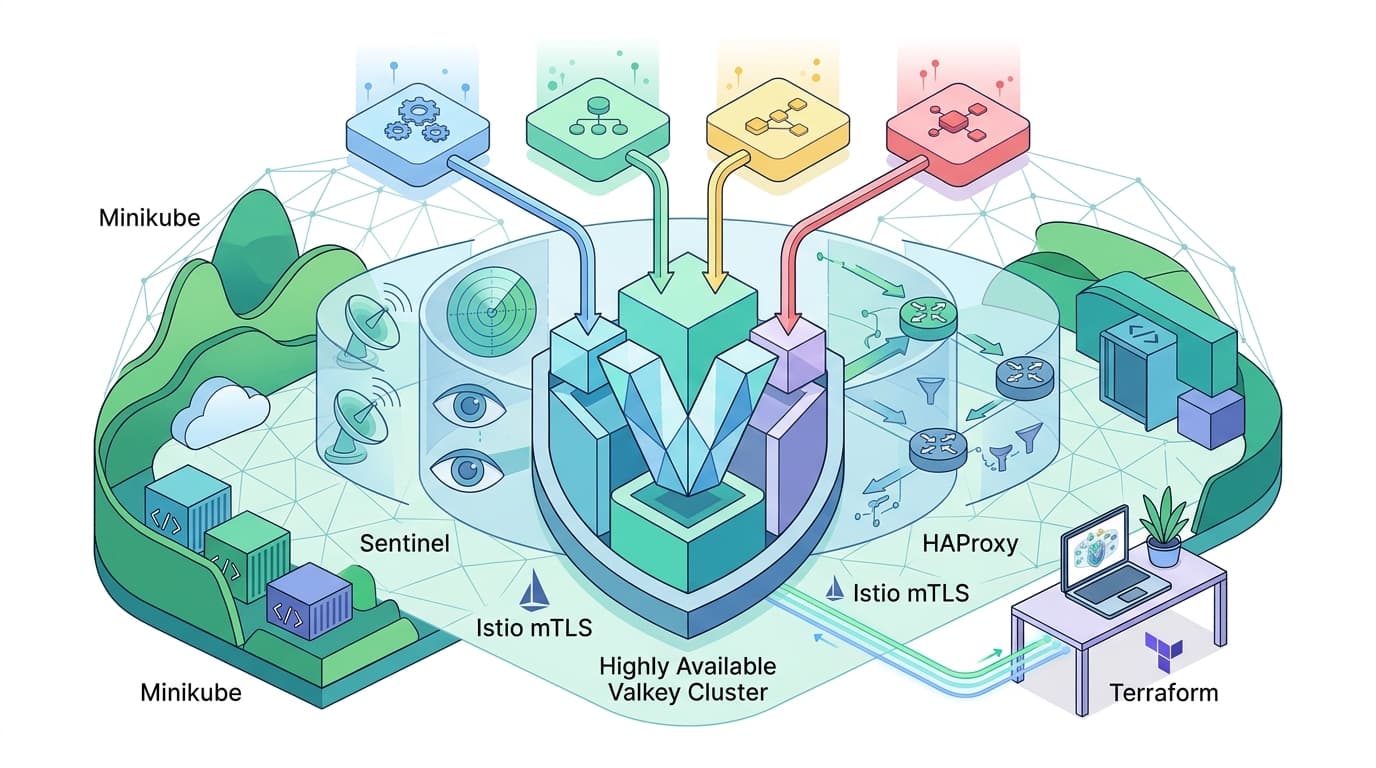
# through valkey-master (HAProxy to the current primary, so failovers keep the address), Istio mTLS on the way.
# Every key Argo CD writes has a TTL, so maxmemory-policy volatile-lru may evict it; Argo CD then recomputes it.
redis:
  enabled: false
redis-ha:
  enabled: false
externalRedis:
  host: valkey-master.redis.svc.cluster.local
  port: 6379
  # redis-username and redis-password of ACL user argocd, written by argocd.tf.
  existingSecret: argocd-redis-valkey
Argo CD uses Redis only as a cache: rendered manifests, application trees, session state. It's safe to lose. The chart's default is its own Redis Deployment. We turned that off and pointed Argo CD at the cluster's shared, highly available Valkey, which every application on mk4 uses (its own article: One Redis for Every App (opens in a new tab)).
Isolation comes from Valkey's ACLs. redis.tf gives each tenant a user that can open only its own database numbers and can't run admin commands:
# minikube-infrastructure/redis.tf (excerpt)
redis_tenants = merge(var.redis_tenants, { argocd = local.argocd_redis })

redis_tenant_acl = { for name, t in local.redis_tenants : name =>
  "~* &* +@all -@admin -flushall -swapdb db=${join(",", t.databases)}"
}
For Argo CD that renders -@admin -flushall -swapdb db=7: database 7 only, no CONFIG, no FLUSHALL, no way into another tenant's data. The name argocd and database 7 are reserved in the variable validation, so nobody can add a tenant that collides with them. The chart turns externalRedis into redis.server: valkey-master.redis.svc.cluster.local:6379 in the params ConfigMap, and REDIS_USERNAME / REDIS_PASSWORD environment variables from the Secret.
Components switched off, and one that can't be
dex:
  enabled: false
notifications:
  enabled: false
applicationSet:
  enabled: false
dex.enabled: false: no Dex server. Sign-in is the localadminuser.notifications.enabled: false: no notifications controller. Nothing here sends Slack or email messages on sync events.applicationSet.enabled: falsedoes nothing. Chart 10.10.5 has no such switch. The ApplicationSet controller's template has no condition, so it's always rendered. The release has been running it since 10 November (about 44 Mi, with no requests or limits), and no ApplicationSet exists on the cluster. Helm silently ignores values a chart doesn't read. The only way to catch it is to comparehelm templateoutput with what you expect, which is how I found it while writing this. See Loose ends.
Objects the release carries: extraObjects
extraObjects is a list of arbitrary manifests that the chart renders as they are, so they're installed, upgraded and removed together with Argo CD. We use it for two objects that belong to Argo CD but that the chart doesn't know about.
The first is the NetworkPolicy for the Istio sidecars. With global.networkPolicy.create: true (the chart's default), the chart gives the server, repo-server and controller ingress NetworkPolicies that admit only Argo CD's own ports. Prometheus also needs to scrape each sidecar's own ports:
  # The chart's NetworkPolicies isolate ingress for its pods. Prometheus (namespace monitoring) also needs the
  # sidecar's ports, or Kiali gets no traffic for argocd: 15020 merged metrics and health, 15090 Envoy's own. Nothing
  # here is egress-isolated, so the sidecars reach DNS, istiod and Valkey.
  - apiVersion: networking.k8s.io/v1
    kind: NetworkPolicy
    metadata:
      name: istio-sidecars
      namespace: argocd
    spec:
      podSelector: {}
      policyTypes: [Ingress]
      ingress:
        - from:
            - namespaceSelector:
                matchLabels:
                  kubernetes.io/metadata.name: monitoring
          ports:
            - {port: 15020, protocol: TCP}
            - {port: 15090, protocol: TCP}
The second is the VirtualService that the edge's /argocd delegate points to. It gets its own step, because most of the lessons are in it.
Step 6: what's running
$ kubectl -n argocd get pods -o wide     # columns trimmed
NAME                                                READY   STATUS    NODE
argocd-application-controller-0                     2/2     Running   w2
argocd-applicationset-controller-6484855d89-4k987   2/2     Running   w3
argocd-repo-server-c68457b9c-4wh9h                  2/2     Running   w3
argocd-server-7bfcddc746-x6sqc                      2/2     Running   w1
2/2 is Argo CD plus its Istio sidecar. The sidecars run as Kubernetes native sidecars, so they start before the application container and stop after it.

Two details in the picture are worth calling out:
- No repository credentials. Every repository Argo CD reads (
mrjithendar/moks-sre,mrjithendar/roboshop-ai) is public, so the repo-server clones them anonymously over HTTPS. There are norepositorySecrets in the namespace. Private Git sources would need one. - The cache can be thrown away. Every key Argo CD writes to Valkey has a TTL. Valkey's
volatile-lrupolicy may evict any of them under memory pressure, and Argo CD rebuilds what's missing.
Signing in
# The first admin password, generated by Argo CD at first start
kubectl -n argocd get secret argocd-initial-admin-secret -o jsonpath='{.data.password}' | base64 --decode; echo

# The CLI over gRPC-web, under the same path as the UI
argocd login jithendar.com --grpc-web --grpc-web-root-path /argocd --username admin
Change the password on the User Info page after the first sign-in. Argo CD's docs then recommend deleting argocd-initial-admin-secret, because it's only used once. --grpc-web carries the CLI's gRPC calls inside ordinary HTTP requests, so they take the same path through Cloudflare and the gateway as the UI. --grpc-web-root-path /argocd is needed because the API lives under the same prefix as the UI.
Step 7: serving it at jithendar.com/argocd

For its first nine days the VirtualService was a single route: send everything under /argocd to argocd-server:80. On 19 November that stopped being enough. Argo CD showed a blank page in some browsers, sent others back to the login page on every reload, and for a while served a signed-in answer listing the cluster (name, server, version, API groups) to anyone who asked. The common cause: jithendar.com's DNS records are proxied by Cloudflare, so every request to /argocd passes through Cloudflare's cache first.
None of these were Argo CD bugs. They came from how Cloudflare caches: by URL alone. Cloudflare ignores the cookies and Accept header that Argo CD's answers depend on, and adds a one-hour max-age to responses that don't set their own cache headers. Four commits fixed it, each one a Helm upgrade.
| Symptom | Cause | Fix | Commit |
|---|---|---|---|
Blank page at /argocd/ | Argo CD answers a request that accepts text/html with index.html rewritten to <base href="/argocd/"> and no-cache, private. Any other request (curl, a probe) gets the file as built, with <base href="/"> and no cache header. Cloudflare cached that one, so browsers loaded main.*.js from / and got a 404. | Set Accept: text/html on requests to the entry page | 8f5eb06 (opens in a new tab) |
| Login loop, and a signed-in API answer served to everyone | The API answers GETs without Cache-Control. Cloudflare cached a signed-out /api/v1/session/userinfo (every reload went back to the login page) and a signed-in /api/v1/clusters. | Cache-Control: no-store on every /argocd/api/ response | fe3efdd (opens in a new tab) |
404 on /argocd/applications | The same two-way answer on every UI route, not only the entry page. Cloudflare served a curl's cached 404 to browsers. | Set Accept: text/html on every request outside the API. Files with a . in the path are served as before. | 6f93d92 (opens in a new tab) |
| Blank page, no API calls at all | Cloudflare's Rocket Loader rewrote the main.*.js script tag so its own loader would run it. Where that loader didn't run (an extension, a race), the UI never started. | Cache-Control: no-transform on every response, which Cloudflare honours by leaving the bytes alone | 1f76443 (opens in a new tab) |
The result is two routes, each commented with the reason for it:
# deploy/minikube/argocd/values.yaml, extraObjects (excerpt; the full comments are in the file)
  - apiVersion: networking.istio.io/v1
    kind: VirtualService
    metadata:
      name: argocd
      namespace: argocd
    spec:
      http:
        - name: argocd-api
          match:
            - uri: {prefix: /argocd/api/}
          headers:
            response:
              set: {cache-control: 'no-store, no-transform'}
          route:
            - destination:
                host: argocd-server.argocd.svc.cluster.local
                port: {number: 80}
        - name: argocd
          headers:
            request:
              set: {accept: text/html}
            response:
              add: {cache-control: no-transform}
          route:
            - destination:
                host: argocd-server.argocd.svc.cluster.local
                port: {number: 80}
A few things to notice:
- There's no
hostsand nogatewaysin it. It's a delegate: the edge's root VirtualService for jithendar.com matches/argocdand hands the request to it. Only the root binds the public hostname, so no application can grab another one's path. - The API route matches first, so the
Acceptrewrite only ever touches pages.no-storeapplies only to the API, so the UI's hashed script and style files stay cacheable. - The response header on the UI route is
add, notset. Argo CD's ownno-cache, privateon pages andimmutableon hashed files stay, andno-transformis added next to them.
There was also a fifth blank page, and it wasn't in the cluster at all. Argo CD shares one origin with the site (https://jithendar.com), so the two share localStorage. The site stored its theme as a bare string under the key theme. Argo CD's UI reads the same key at start-up with JSON.parse(localStorage.getItem("theme")), so it threw a SyntaxError and never rendered. The fix was on the site's side: it now keeps its theme under site-theme and moves an old bare value out of theme. The lesson: when admin tools live under paths of a public site, the browser treats them as one application.
Step 8: handing Argo CD its applications
This step is a short tour. The companion article (opens in a new tab) covers it in depth: the AppProjects, one Helm chart split into eight Applications, the app of apps, the sync policy line by line, secrets, and why shipping new :latest code needs more than a sync.
With Argo CD installed, each application repository brings its own Applications and AppProjects. MOKS uses an app of apps: one root Application whose only job is to write the others.
# mrjithendar/moks-sre: deploy/argocd/hetzner/root.yaml (excerpt)
# App of apps for MOKS. Syncing it writes the Application objects in apps/ and nothing else: it starts no
# child sync and waits for no child, so a Synced root says nothing about the workloads.
apiVersion: argoproj.io/v1alpha1
kind: Application
metadata:
  name: moks-root
  namespace: argocd
  annotations:
    argocd.argoproj.io/sync-options: Prune=false,Delete=false
spec:
  project: moks-root
  source:
    repoURL: https://github.com/mrjithendar/moks-sre.git
    targetRevision: master
    path: deploy/argocd/hetzner/apps
  destination:
    server: https://kubernetes.default.svc
    namespace: argocd
  syncPolicy:
    automated:
      enabled: true
      prune: false
      selfHeal: true
The root's project, moks-root, may only create Application objects in namespace argocd. A root can't widen a project, because AppProjects are applied by hand. The children run under project moks, which lists the namespaces the MOKS chart may deploy to (moks-sre and its diagnostics, terminal and lab namespaces, among others). RoboShop keeps one Application per service in argocd-k3s/ (opens in a new tab), under project roboshop, which denies Secret objects outright (secrets are created outside Git).
$ kubectl -n argocd get applications            # summarised
PROJECT     APPLICATIONS                                            SOURCE
moks-root   moks-root                                               moks-sre  deploy/argocd/hetzner/apps
moks        moks-api, -worker, -crewai, -executor, -foundation,     moks-sre  deploy/helm/moks (one chart,
            -reranker, -routing, -terminal  (8)                               split by resourceGroup)
roboshop    roboshop-web, -cart-service, ... (17)                   roboshop-ai  services/*, argocd-k3s/apps/*
Every one of the 26 has the same policy:
| Setting | Value | Why |
|---|---|---|
automated.enabled | true | A merge to master is a deploy |
selfHeal | true | A hand edit on the cluster gets reverted to Git |
prune | false | Removing a file from Git never deletes a running object, a volume least of all |
Prune=false,Delete=false | annotation | Belt and braces: even a manual prune sync or a deleted Application leaves the objects alone |
FailOnSharedResource=true | sync option | Two Applications can't silently fight over one object |
| Finalizers | none | Deleting an Application never cascades to what it manages |
"Never prune" has a cost: deleting something takes a person. When MOKS retired its OpenSearch pod, moving its Application out of Git stopped the syncing but left the pod running, and it had to be deleted by hand. On this cluster that's on purpose.
Two things deliberately aren't Argo CD Applications: the jithendar.com site itself, which is deployed by a GitHub Actions workflow with kubectl apply, and every add-on from Step 2, Argo CD included.
What it costs
| Pod | Requests | Limits | In use (20 Nov 2026) |
|---|---|---|---|
| argocd-application-controller | 100m, 256 Mi | 1 CPU, 1 Gi | 298 Mi, about 4m CPU |
| argocd-server | 50m, 128 Mi | 500m, 512 Mi | 102 Mi, about 1m CPU |
| argocd-repo-server | 100m, 256 Mi | 1 CPU, 1 Gi | 56 Mi, about 1m CPU |
| argocd-applicationset-controller | none | none | 44 Mi, about 2m CPU |
| 4 Istio sidecars | 20m, 64 Mi each | 2 CPU, 256 Mi each | 166 Mi in total |
| Total | 330m, 896 Mi | about 666 Mi |
There's no Redis pod in that list. The cache lives in database 7 of a Valkey that runs anyway. On worker nodes with 8 GiB each, Argo CD requests a little under 1 GiB of the cluster's 24 GiB of worker memory. Idle, it uses a few millicores. The repo-server and controller spike for a few seconds when a sync renders a chart.
Loose ends
Writing this meant comparing every value with what the chart actually renders and what's actually on the cluster. Three things didn't match:
applicationSet.enabled: falseis ignored (Step 5). The ApplicationSet controller runs anyway, with no resource requests. The fix is either to delete the line (the controller is cheap and might be used one day) or to setapplicationSet.replicas: 0.- A leftover Secret.
argocd-redis, created by the first install's bundled Redis, is still in the namespace. Nothing in the current release references it. - The
mk-platformAppProject in thekubernetesrepository's Argo CD catalog (deploy/minikube/applications/) isn't on the cluster. The live projects aredefault,moks,moks-rootandroboshop, which each application repository brings with it. Either the catalog's project gets applied, or it goes away.
None of them affects what's running, which is exactly why they went unnoticed.
What's next
- Cloudflare Access in front of
/argocd. The edge chart already has the check: with it on, the gateway refuses/argocd,/grafana,/kialiand the other admin paths unless the request carries a valid Access token. It's off until the Zero Trust application exists. Until then, Argo CD's own login is the only gate. - SSO instead of the shared
adminuser, once more than one person needs in. That would turn Dex back on, andconfigs.cm.urlalready has the right value for the callback. - Chart upgrades through pull requests. The next argo-cd release is a one-line change of
versioninargocd.tf. Diffhelm templateoutput for the old and new versions before applying, because that diff is how the ignoredapplicationSetkey turned up.
Git references
Everything above was read on 20 November 2026 from these commits. All three repositories are public.
moks-tech/kubernetes at b74771b (opens in a new tab):
hetzner-k3s.yaml(opens in a new tab): the clusterminikube-infrastructure/argocd.tf(opens in a new tab): namespace, Secret,helm_releasedeploy/minikube/argocd/values.yaml(opens in a new tab): the values, VirtualService and NetworkPolicydeploy/minikube/argocd/README.md(opens in a new tab): access, sign-in and troubleshootingminikube-infrastructure/redis.tf(opens in a new tab): Valkey tenants and ACLsdeploy/minikube/istio/edge/values.yaml(opens in a new tab): the routing tabledeploy/minikube/istio/ingressgateway.yaml(opens in a new tab): the Hetzner load balancer annotations
Commits that changed Argo CD:
| Commit | Date | Change |
|---|---|---|
5a8ec33 (opens in a new tab) | 10 Nov 2026 | argocd.tf: Argo CD installed by Terraform, cache on Valkey |
8f5eb06 (opens in a new tab) | 19 Nov 2026 | Argo CD's entry page is never cached with the wrong base |
fe3efdd (opens in a new tab) | 19 Nov 2026 | Argo CD's API answers are never cached by Cloudflare |
6f93d92 (opens in a new tab) | 19 Nov 2026 | Every Argo CD page is served rewritten and uncacheable |
1f76443 (opens in a new tab) | 19 Nov 2026 | Cloudflare passes Argo CD's pages through unmodified |
mrjithendar/moks-sre at cd2f58f (opens in a new tab): deploy/argocd/hetzner/root.yaml, apps/, project-root.yaml.
mrjithendar/roboshop-ai at d33b00d (opens in a new tab): argocd-k3s/, the RoboShop Applications and project.
Discussion comments
No comments yet. Start the discussion.